


 Clear Aligners ×


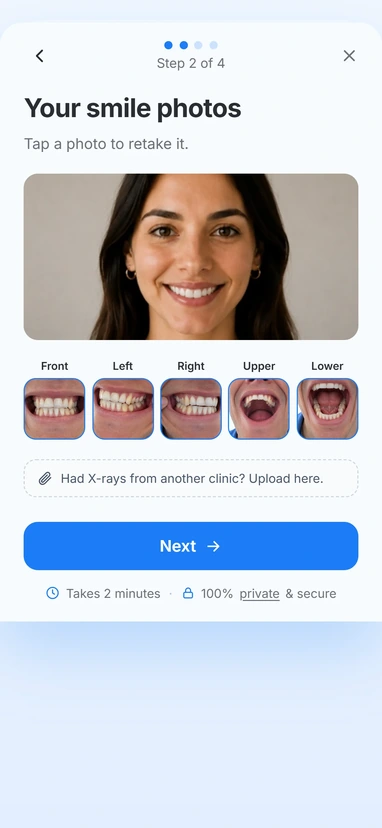
The patient submits photos
Our patient form sits on your website. Patients upload photos and share what they’d like to improve.

Turn more website visitors into patients ready to book
Give potential patients a simple way to explore treatment from home, while you spend less time on enquiries that go nowhere.
 Less chair timeon “just looking”
The reality
An in person consultation is a lot to commit to when you’re still exploring your options.
Without an easy next step, potential patients leave and continue their search elsewhere.
Some patients book before they’re ready, leaving your team spending valuable time on people who are still deciding.
A branded consultation experience that feels like an extension of your practice. Everything they need to make an informed decision is brought together on one page, designed to move them from curious to booked.


How it works
Our patient form sits on your website. Patients upload photos and share what they’d like to improve.
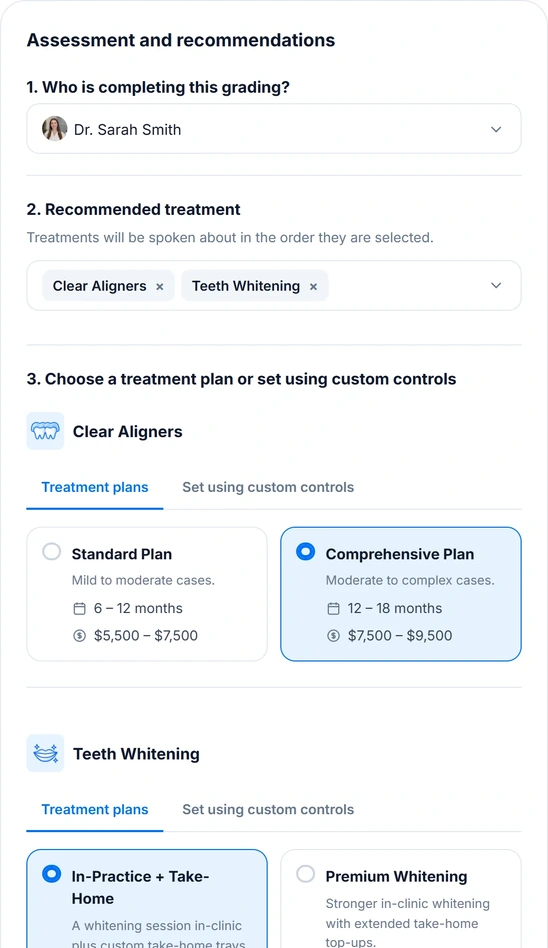
Review their photos, choose the treatment and set your price range. Takes about two minutes.
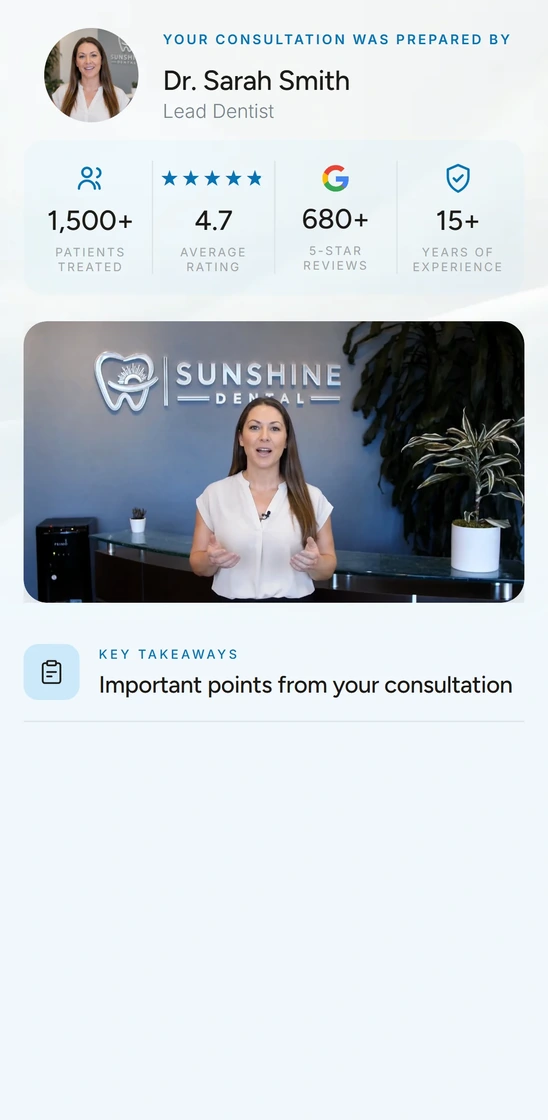
A personalised video consultation explains what you found, what you recommend and what comes next.
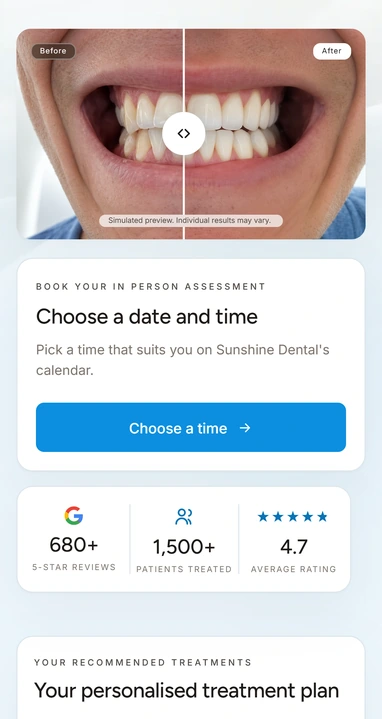
They explore their options, understand the investment and book their assessment when they’re ready.
Everything included on both plans.
No setup fee.
A$495
per month
A$495
per month, plus A$249 per extra location
Need more? Top up 15 consultations for A$99. Anything you don’t use rolls over.
Good to know
Straight answers to the things you’ll want to know before getting started.

No. SmileReply is designed to be the step before an in person assessment. Patients can explore their options and understand what may be suitable for them before they come in, so your team spends more time with patients who are ready to move forward.
Typically around 2 to 5 minutes per patient. The exact time depends on the complexity of the case, the treatments you recommend and how you choose to deliver the consultation.
No. You can choose how each consultation is delivered. SmileReply can create a personalised video from your findings, estimates and recommendations, or you can record your own video for the patient.
They receive a private patient portal containing their consultation. It can include their personalised video, treatment explainer videos, before and after smile simulation, recommended treatments with estimated timeframes and pricing, payment options, real patient results and your practice reviews, and a chat they can ask questions in.
The patient can book their in person assessment directly from their portal. If you use an online booking calendar, they can be sent straight to it. Otherwise, they can submit their preferred day and time and your practice receives a notification to follow up.
Yes. SmileReply sends a signed webhook for every consultation sent, booking request and patient message, so those events can flow into your PMS, CRM or an automation tool like Zapier or Make. Anything that can receive a webhook can be connected.
See how SmileReply gives prospective patients the information and confidence they need to take the next step.
Book a demo